
Code fuction khi không để giá sẻ tự hiện liên hệ số zalo chuẩn WooCommerce, tự động chuẩn đẹp
👉 Nếu sản phẩm không có giá (hoặc giá = 0) thì hiển thị “Liên hệ Zalo [số điện thoại]”, kèm icon Zalo màu xanh, có hiệu ứng rung lắc xinh động còn lại sản phẩm bình thường vẫn hiện giá.click vào là gọi qua số zalo
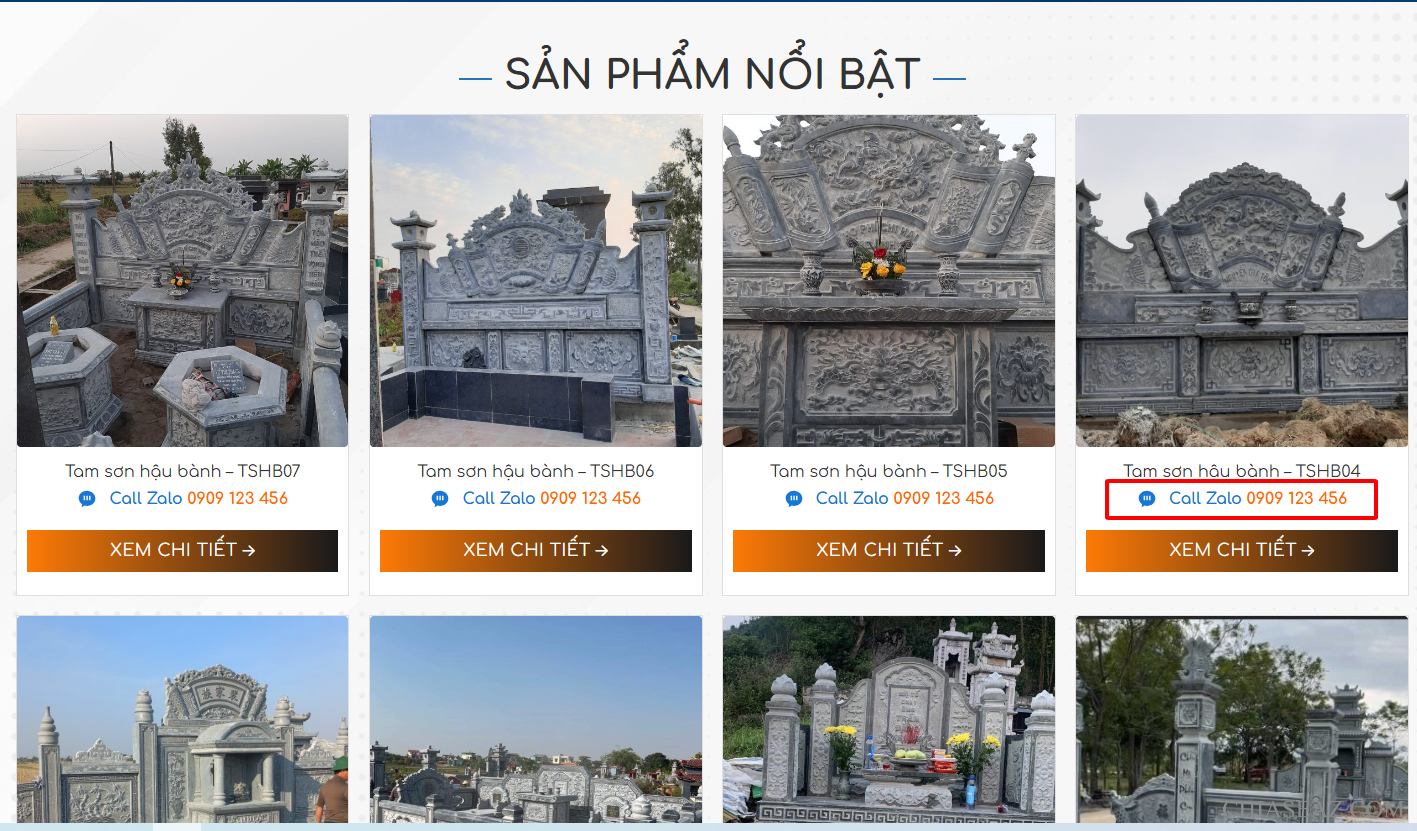
Bước 1 chèn vào fuction
function chowordpress_wc_custom_get_price_html( $price, $product ) {
    if ( $product->get_price() == 0 ) {
        if ( $product->is_on_sale() && $product->get_regular_price() ) {
            $regular_price = wc_get_price_to_display( $product, array(
                'qty'   => 1,
                'price' => $product->get_regular_price()
            ) );

            $price = wc_format_price_range( $regular_price, __( 'Liên Hệ', 'woocommerce' ) );
        } else {
            // Icon Zalo SVG
            $zalo_icon = '<svg xmlns="http://www.w3.org/2000/svg" width="20" height="20" fill="#1677d8" viewBox="0 0 24 24" style="margin-right:6px;">
                            <path d="M12 2C6.48 2 2 6.02 2 10.93c0 2.98 1.64 5.64 4.14 7.26l-.66 3.75 3.69-2.03c.89.24 1.83.37 2.83.37 5.52 0 10-4.02 10-8.93S17.52 2 12 2zM9.7 13.5H8V8h1.7v5.5zm6.5 0h-1.7V8h1.7v5.5zm-3.25 0h-1.7V8h1.7v5.5z"/>
                          </svg>';

            // Thêm link zalo.me – thay số điện thoại của bạn ở đây
            $zalo_link = 'https://zalo.me/0909123456';

            $price = '<div class="phongvt-lienhe" style="text-align:center;">
                        <a href="' . esc_url($zalo_link) . '" target="_blank"
                           style="display:inline-flex;align-items:center;justify-content:center;
                                  gap:6px;text-decoration:none;color:#1677d8;font-weight:600;">
                           ' . $zalo_icon . '
                           <span>Call Zalo <strong style="color:#ff6900;">0909 123 456</strong></span>
                        </a>
                      </div>';
        }
    }
    return $price;
}
add_filter( 'woocommerce_get_price_html', 'chowordpress_wc_custom_get_price_html', 9999, 2 );
Bước 2 chèn vào css bổ sung
ul.products li.product .price,
.price {
  display: flex;
  justify-content: center;
  width: 100%;
  text-align: center !important;
}

.phongvt-lienhe {
  display: inline-flex;
  align-items: center;
  justify-content: center;
  gap: 6px;
  text-align: center;
  color: #1677d8;
  font-weight: 600;
  font-size: 16px;
  cursor: pointer;
  transition: all 0.3s ease;
}

.phongvt-lienhe:hover {
  animation: phongvt-shake 0.5s;
}

@keyframes phongvt-shake {
  0%, 100% { transform: rotate(0deg); }
  25% { transform: rotate(3deg); }
  50% { transform: rotate(-3deg); }
  75% { transform: rotate(2deg); }
}

.phongvt-lienhe strong {
  color: #ff6900;
  font-weight: 700;
}
Chúc các bạn thành công